|
|
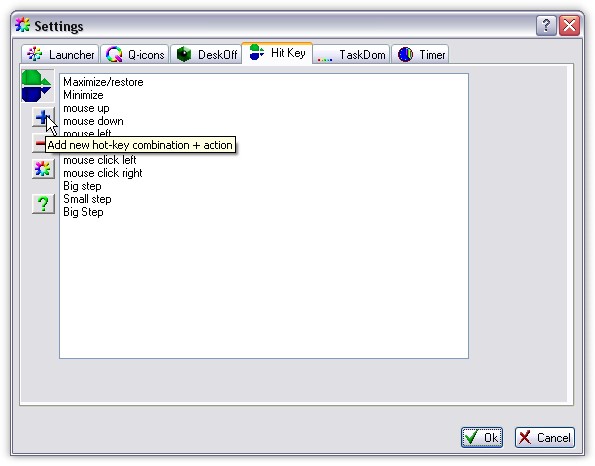
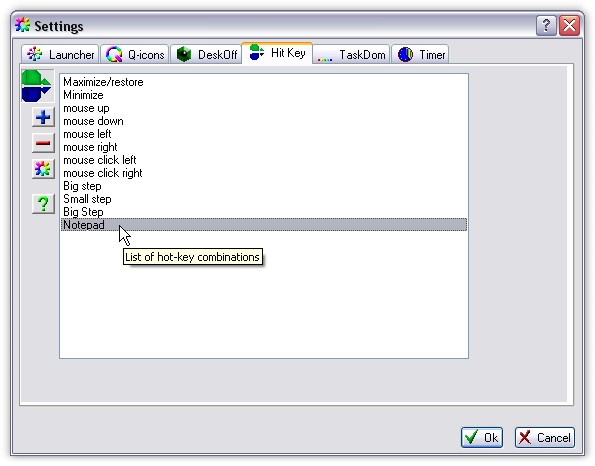
By this setting dialog you can manage actions you made. See how to add new action. Press [+] button.
|
|
|
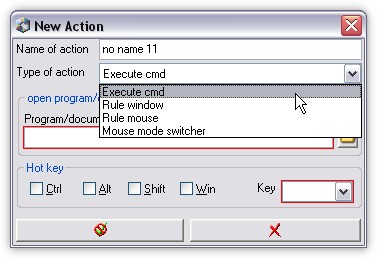
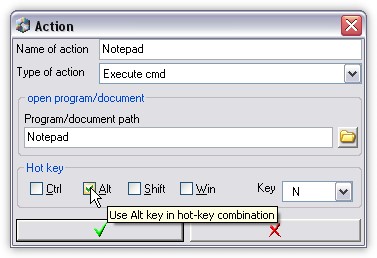
From drop-down list select actions - Execute cmd. It means, than your new action will execute command line.
|
|
|
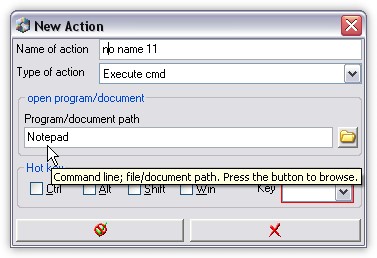
Type your program name, "Notepad.exe" for example.
|
|
|
Select hot-key combinaton for your action and then press Ok.
|
|
|
Now, new action was added. Close Sumka setting dialog and this new action will be activated.
|
|
|
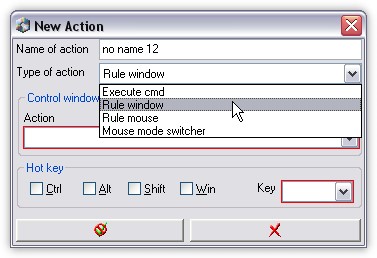
This is choosing of windows managing Item.
|
|
|
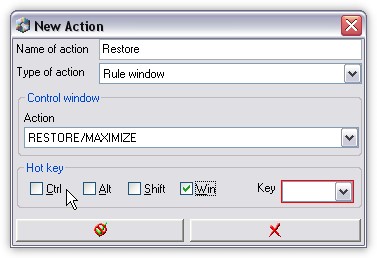
... and then you can choose type of action (Maximize and Restore), and Hot-Key combination.
|
|
|
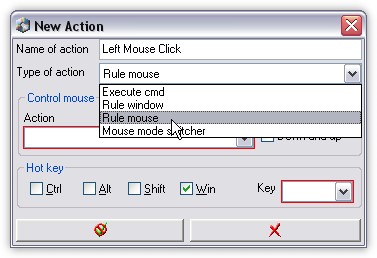
This is choosing of mouse emulation item. Mouse emulation allows you emilate mouse by keyboard.
|
|
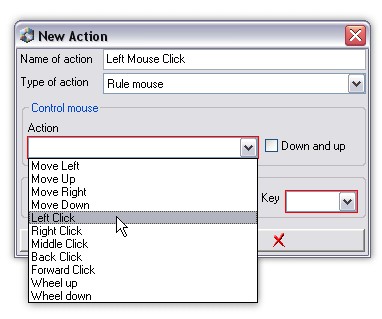
|
... and then you can choose type of action (Left Click). Down and Up checkbox means, that one keystroke Press and Release mouse button.
If you do not set this option, mouse will be pressed and kept after first keystroke, and will be released after second keystroke.
|
|
|
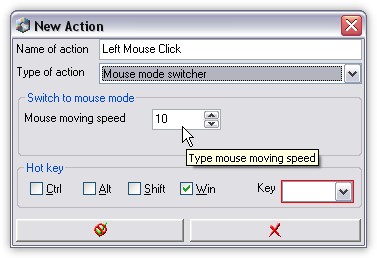
Here you can set Hot-key which will switch Speed Value you set here. You can use One hot-key combination for number of speed values.
|
|