
 |  |  |  | |||||
|
|
|
AltMove windows & mouse manager - Version 2.1.8
Adds more functionality to your mouse for interacting with windows. |
|||||||||
 |
|
||||||||
|
Benefits
There is some windows, which have not a title bar, and you need use long key combination to became window in moving state. By AltMove you will do it by single dragging. Linux users find it like linux featured window dragging by key Alt and left mouse button (from this feature program get name). ... And there are more windows, which do not allow size them. For example: Visual Studio quick watch window: 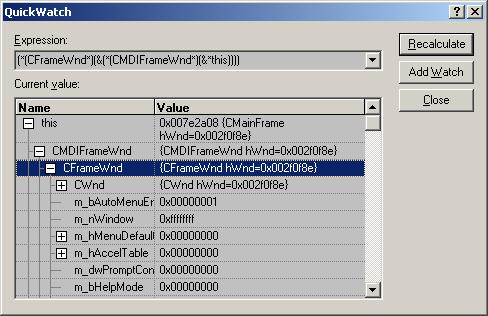 Here is a class with a lot of members and usually you need to see it all one time. Well. By one dragging you can size it to that: 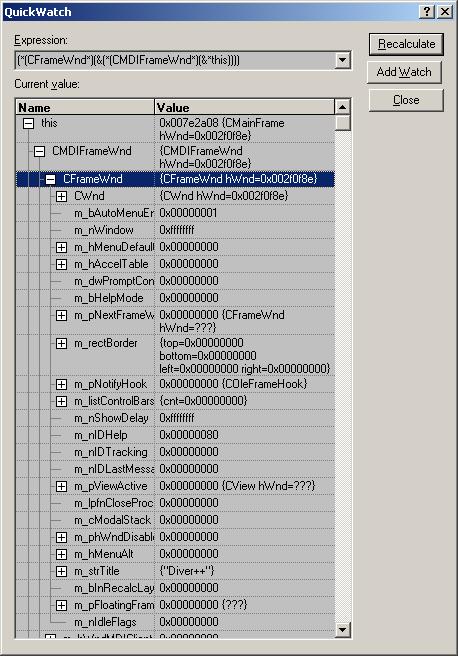 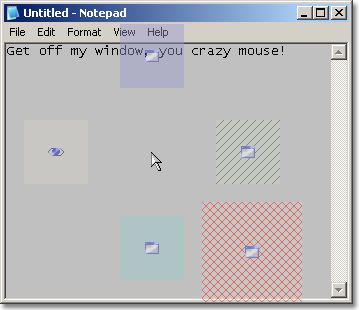
|
|||||||||
 AltMove downloaden |
 Click here to see review |
||||||||


|
|||||||||
|
Latest changes
Classification: [+] new [-] fix You can view full list of changes here. 2.1.8 - Windows 10.- Some GUI fixes. 2.1.7.1 + Program Run Action. When you press 'Setting' button and there is no program was selected in the action - AltMove failed. |
|||||||||
| home | news | contacts | links | DigEver.com |
| © 2006-2020 DeskEx. All Rights Reserved. |